MicroSlate
A dedicated writing firmware for the Xteink X4 e-paper device.
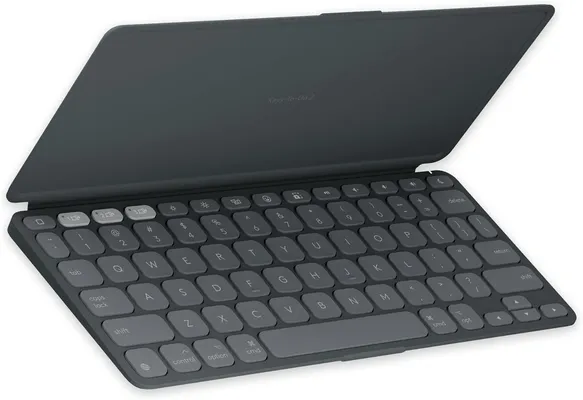
Pairs with any Bluetooth keyboard. Saves notes to MicroSD.
Device compatibility
MicroSlate is built for the original Xteink X4 and installs by flashing over its USB-C port. It does not work on the newer X4 Pro, which lacks USB-C and cannot currently be flashed. Make sure you have the original USB-C X4 before installing.
Disclosure: This page contains affiliate links. If you buy through these links, I may earn a small commission at no extra cost to you.
Install firmware
Installs MicroSlate directly onto your Xteink X4 over USB. Works on Windows and Mac.
- 1 Connect your Xteink X4 to your computer with a USB cable.
- 2 Click Install MicroSlate below, then select the device from the browser popup.
- 3 Wait for the flash to complete (~2 minutes), then restart the device.
After flashing
- Insert a FAT32-formatted MicroSD card.
- Power on — the device boots to the main menu.
- Go to Settings → Bluetooth and scan for your keyboard.
- Select your keyboard and press Enter to pair.
- Return to the main menu and start writing.
Source code and release notes on GitHub.
Dual-Boot Edition
MicroSlate + CrossPoint on one device. Switch between apps from the menu.
Install dual-boot firmware
Flashes both MicroSlate and CrossPoint onto your Xteink X4. Each app's menu gains a one-tap switch to the other.
- 1 Connect your Xteink X4 to your computer with a USB cable.
- 2 Click Install Dual-Boot below, then select the device from the browser popup.
- 3 Wait for the flash to complete (~2 minutes), then restart the device.
About the CrossPoint included in this build
This build includes CrossPoint 1.6.5, with the MicroSlate dual-boot changes applied. Updated October 15, 2026.
CrossPoint is an open-source e-reader project. Source code and releases: github.com/crosspoint-reader/crosspoint-reader. Project website: crosspointreader.com.